Platform guide
AI Trading Prompts
+ verify.trading Platform Guide
Copy-ready AI trading prompts for checking a broker, a prop firm, a trade or a guru, plus everything you need to get real value from verify.trading: how to set up and what the three engines do.
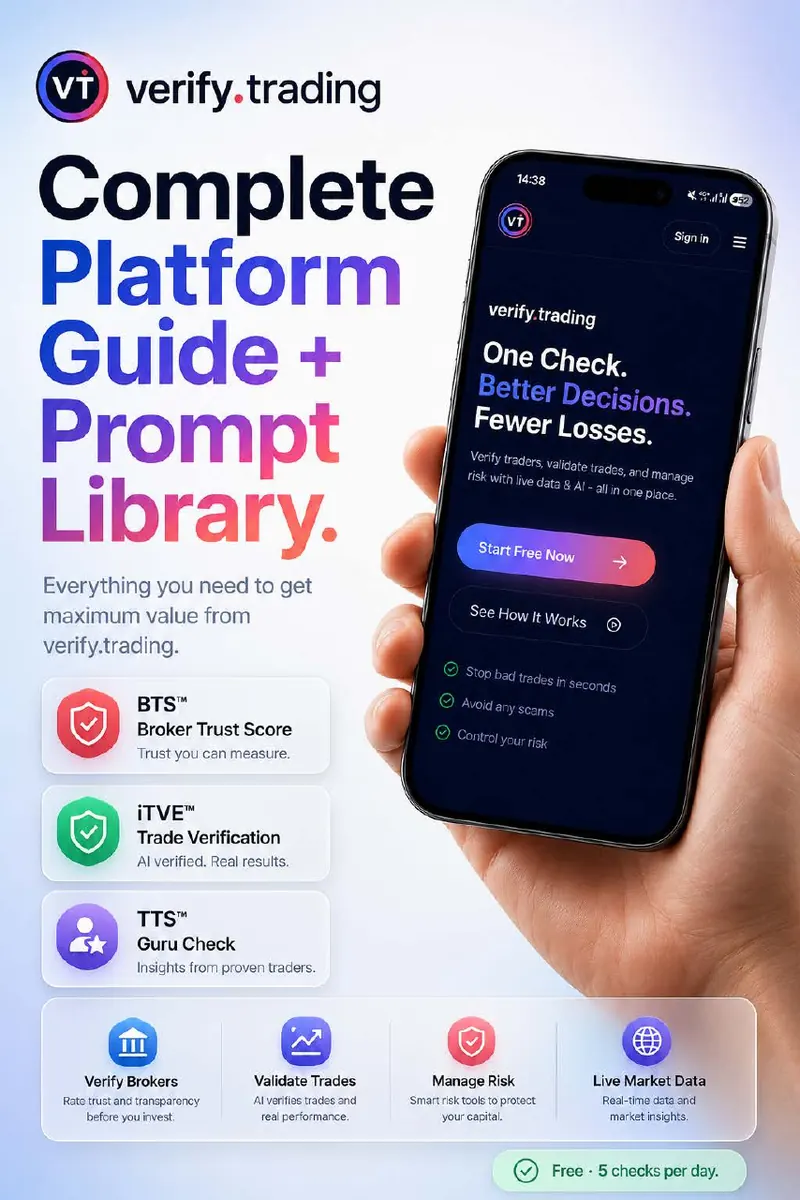
The problem
Why traders need a verification step
Most retail traders do not lose because they lack intelligence. They lose because they make decisions without the right information at the right moment. verify.trading was built to close that gap on the four mistakes that cost traders most.
Depositing with an unverified broker
Choosing a broker from search results and star ratings instead of the regulator record. A broker check takes seconds and should come before the first deposit.
Following unverified signal services
Signal groups can show only their winning screenshots. Check the person's regulatory status, track record and broker referral income before you pay or follow.
Trading on instinct
Professional traders run a pre-trade check on every idea. ITVE gives you that check: submit your entry, stop and target and get a score and verdict.
Trading without psychological structure
Revenge trading, overtrading after a win and moving stops out of fear destroy more capital than bad strategies. Mind and Journal build the habit that stops it.

Proprietary technology
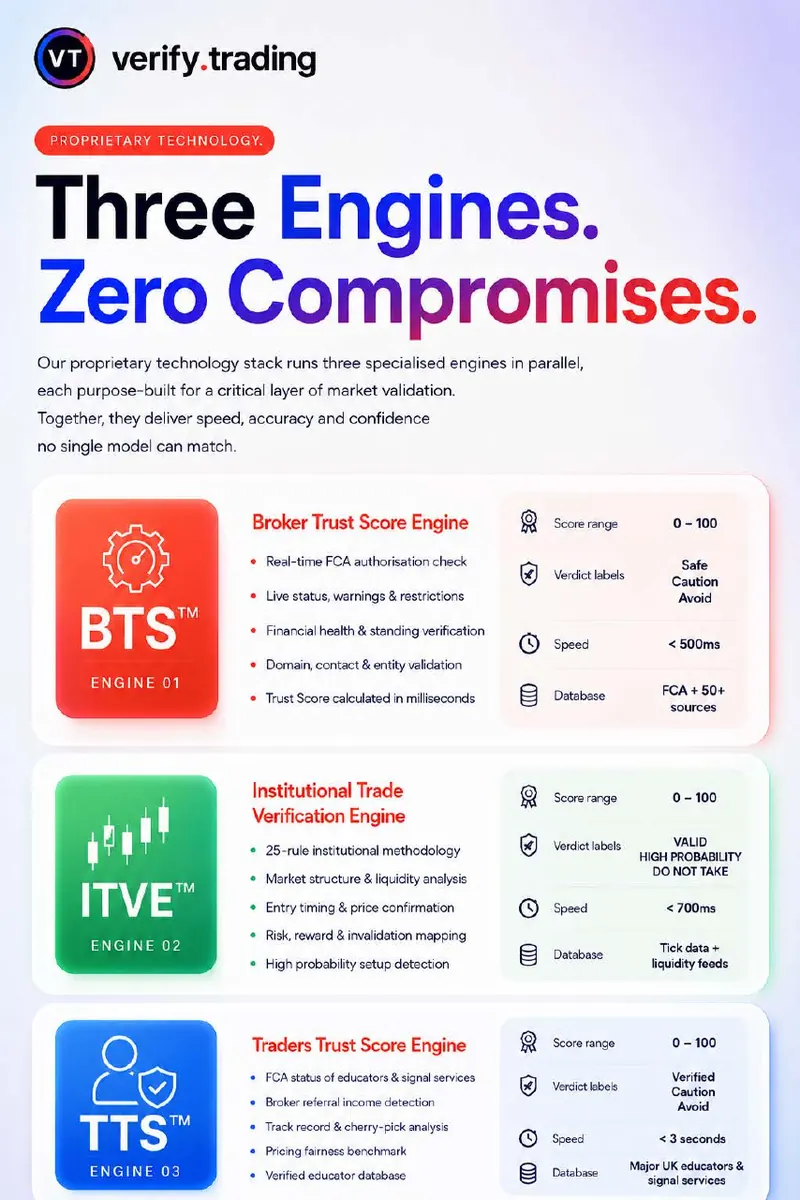
The three engines: BTS, ITVE and TTS
verify.trading is a specialist platform, not a general chatbot. Behind the Ask tab sit three engines, each built for one layer of checking. You never pick one yourself: Ask reads your question and sends it to the right engine.
BTS: Broker Trust Score
Checks a broker or prop firm against regulator records: authorisation status, warnings and restrictions, and entity details such as domain and contact information. The result is a score out of 100 and a plain verdict, from Verified to High risk, adjusted for your country. Browse every rated name on the broker register and the prop firm register.
ITVE: Institutional Trade Verification Engine
Scores a trade idea you submit out of 100, weighing market structure, liquidity, candle pressure and your strategy rules, with risk-to-reward and stop placement as vetoes. It restates your exact entry, stop and target first and never invents levels. 80 and above is High Probability; below 60 is a negative verdict.
TTS: Traders Trust Score
Checks educators, gurus and signal services: regulatory status, whether they earn broker referral income, their track record, and whether published results look cherry-picked. Start from the trader and educator checks.
Up and running in a minute
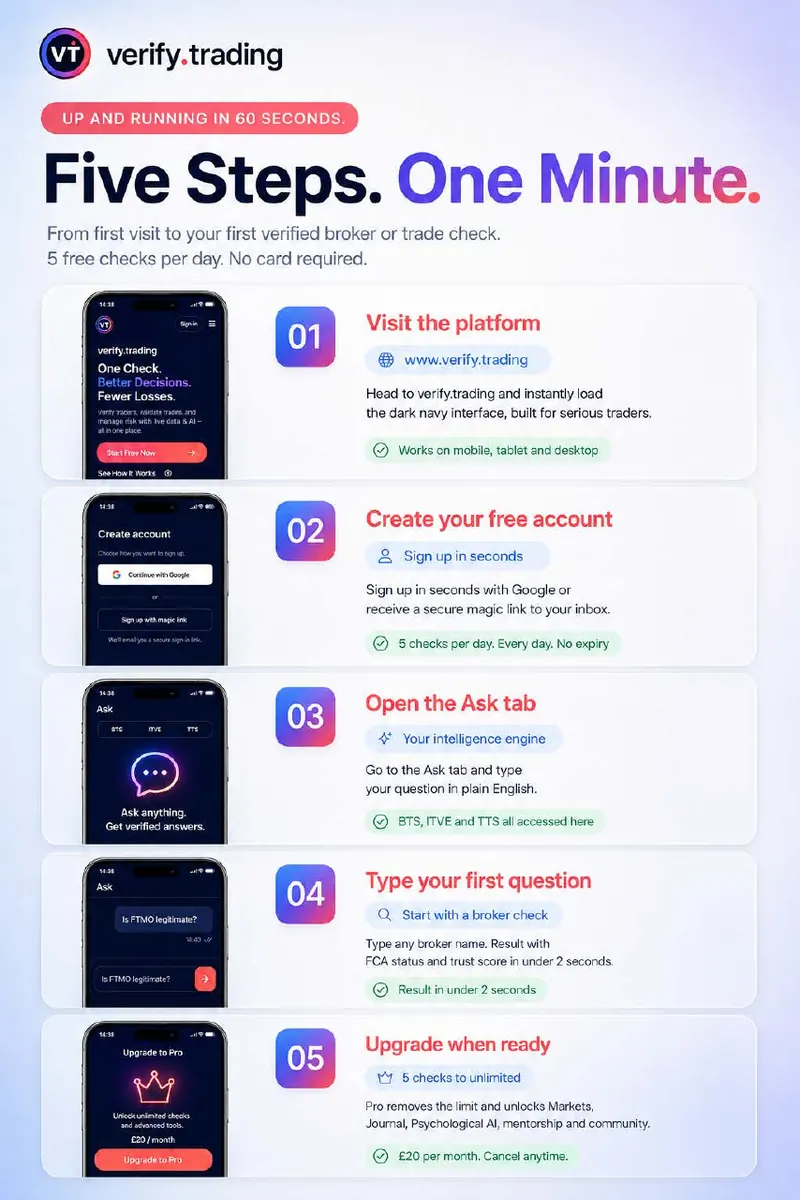
How to get started: five steps
- 01
Visit verify.trading
Open verify.trading in any browser. It works on mobile, tablet and desktop, so there is nothing to install.
- 02
Create your free account
Sign up in seconds with Google or a magic link sent to your inbox. No card is needed, and the free plan gives you 5 Ask chats every day with no expiry.
- 03
Open the Ask tab
Ask is the single input for the whole platform. Type your question in plain English and it is routed to the right engine: BTS, ITVE or TTS.
- 04
Type your first question
Start with a broker or prop firm check, for example "Is FTMO legitimate?". You get a trust score and a plain verdict with the regulator record behind it.
- 05
Upgrade when you are ready
Pro raises the daily Ask limit and adds the Intelligence brief, the economic calendar, Journal with Challenge Mode, Mind coaching and the members-only community. Cancel anytime.
Your intelligence engine
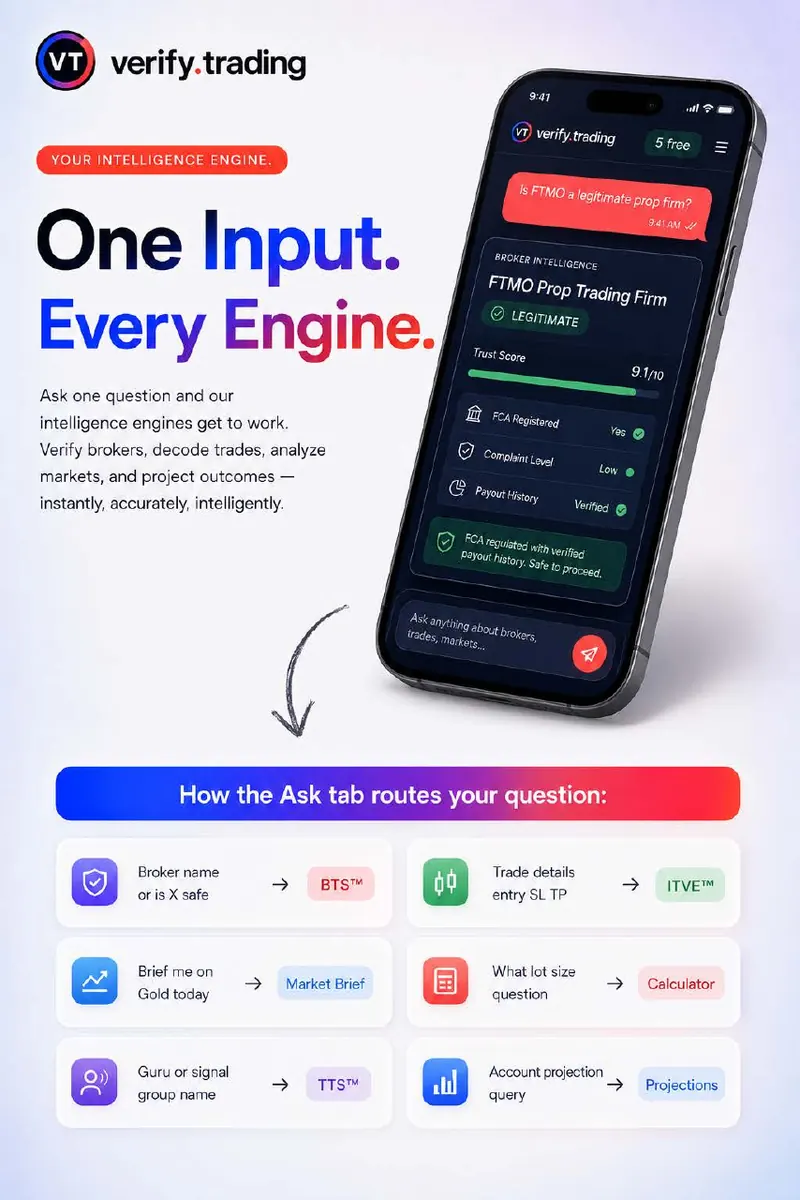
How the Ask tab routes your question
Ask one question and the engines get to work. You do not need menus or forms: the way you phrase the question decides where it goes.
| You ask about | Answered by |
|---|---|
| A broker or prop firm name, or "is X safe?" | BTS |
| A trade with entry, stop loss and target | ITVE |
| A guru or signal group name | TTS |
| "Brief me on Gold today" | Market brief |
| A lot size or risk question | Calculators |
| An account growth projection | Projections |
Prefer to run the numbers yourself? The same maths is in the free trading calculators, including the position size calculator.
Prompt library
AI trading prompts: copy, replace, get your answer
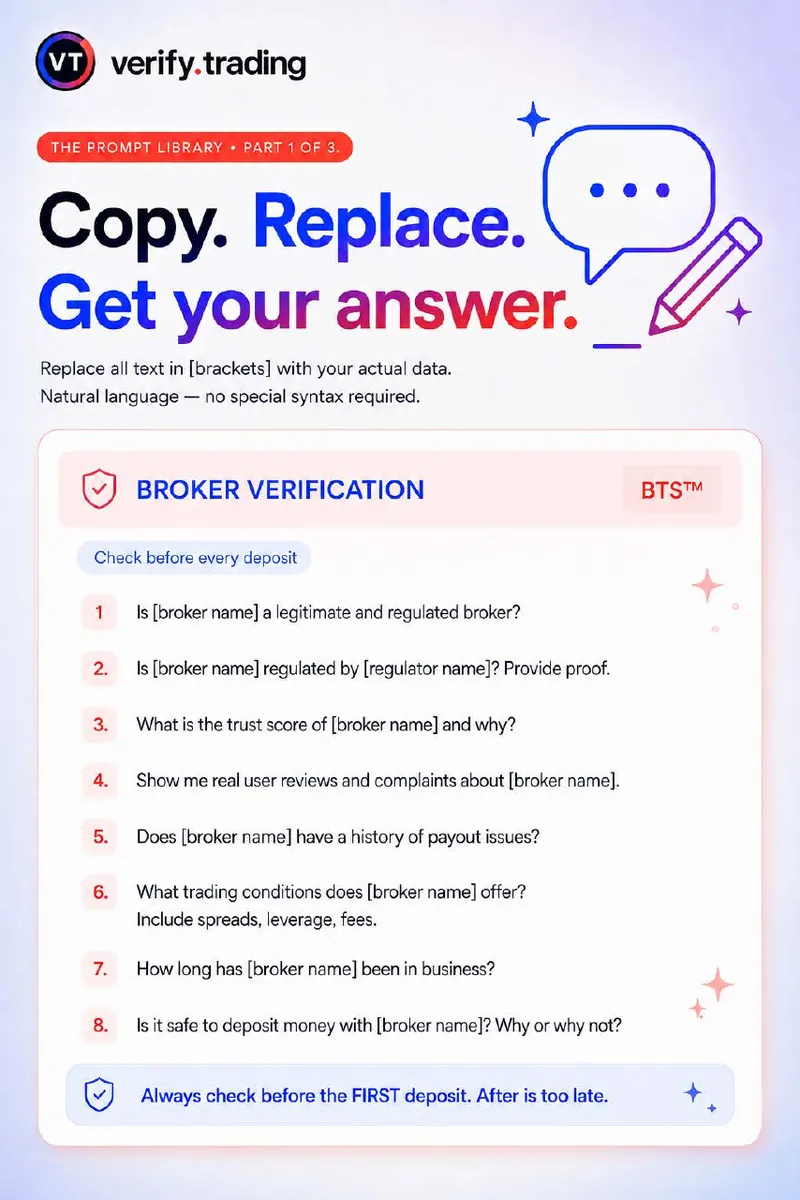
Replace all text in [brackets] with your own details. Natural language works; no special syntax is needed.
Broker and prop firm verification prompts
BTSCheck before every deposit. Swap in the broker or prop firm name.
- Is [broker name] a legitimate and regulated broker?
- Is [broker name] regulated by [regulator name]? Provide proof.
- What is the trust score of [broker name] and why?
- Show me real user reviews and complaints about [broker name].
- Does [broker name] have a history of payout issues?
- What trading conditions does [broker name] offer? Include spreads, leverage, fees.
- How long has [broker name] been in business?
- Is it safe to deposit money with [broker name]? Why or why not?
Always check before the first deposit. After is too late.
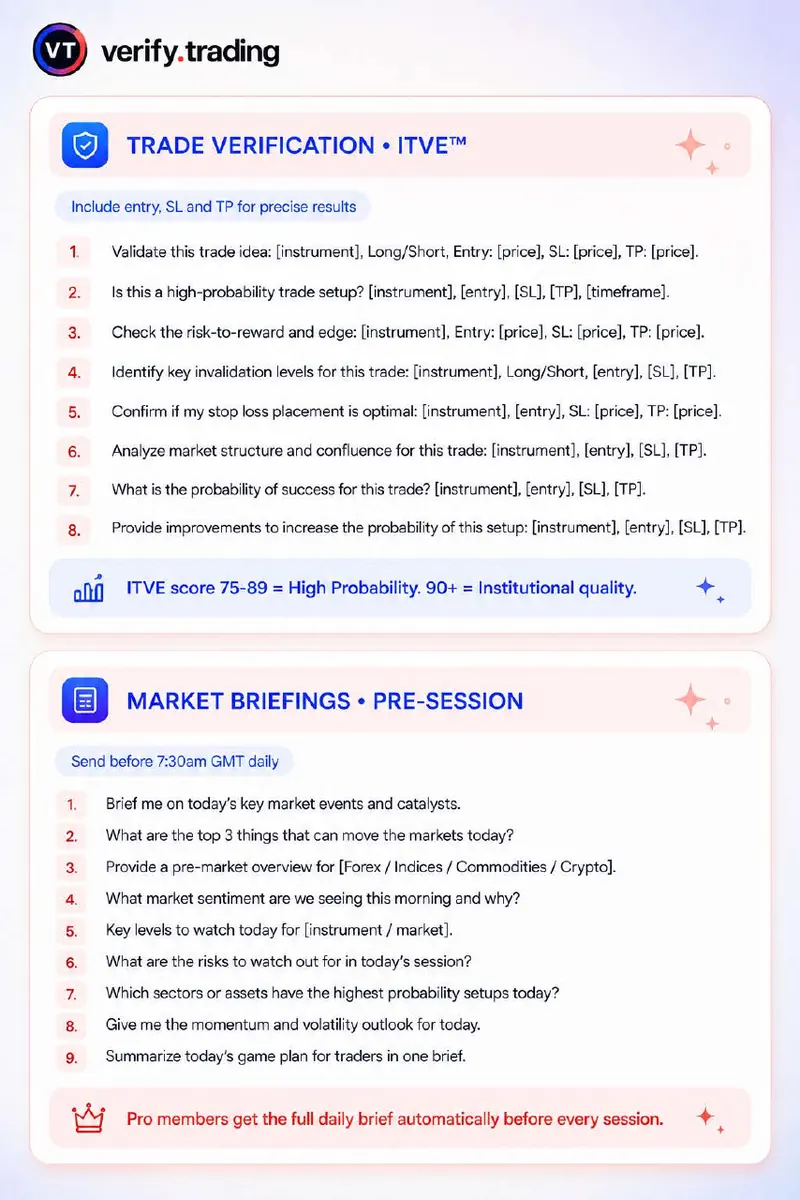
Trade verification prompts
ITVEInclude your own entry, stop loss and target. ITVE scores the trade you submit and never invents levels for you.
- Validate this trade idea: [instrument], Long/Short, Entry: [price], SL: [price], TP: [price].
- Is this a high-probability trade setup? [instrument], [entry], [SL], [TP], [timeframe].
- Check the risk-to-reward and edge: [instrument], Entry: [price], SL: [price], TP: [price].
- Identify key invalidation levels for this trade: [instrument], Long/Short, [entry], [SL], [TP].
- Confirm if my stop loss placement is optimal: [instrument], [entry], SL: [price], TP: [price].
- Analyze market structure and confluence for this trade: [instrument], [entry], [SL], [TP].
- Provide improvements to increase the probability of this setup: [instrument], [entry], [SL], [TP].
ITVE scores out of 100: 80 and above is High Probability, 60 to 79 is proceed with caution, below 60 is a negative verdict.
Pre-session market brief prompts
Market briefSend these before the session opens to get context, not trade calls.
- Brief me on today's key market events and catalysts.
- What are the top 3 things that can move the markets today?
- Provide a pre-market overview for [Forex / Indices / Commodities / Crypto].
- What market sentiment are we seeing this morning and why?
- Key levels to watch today for [instrument / market].
- What are the risks to watch out for in today's session?
- Give me the momentum and volatility outlook for today.
- Brief me on Gold before London open today.
Pro members get the full Intelligence brief automatically before every session.
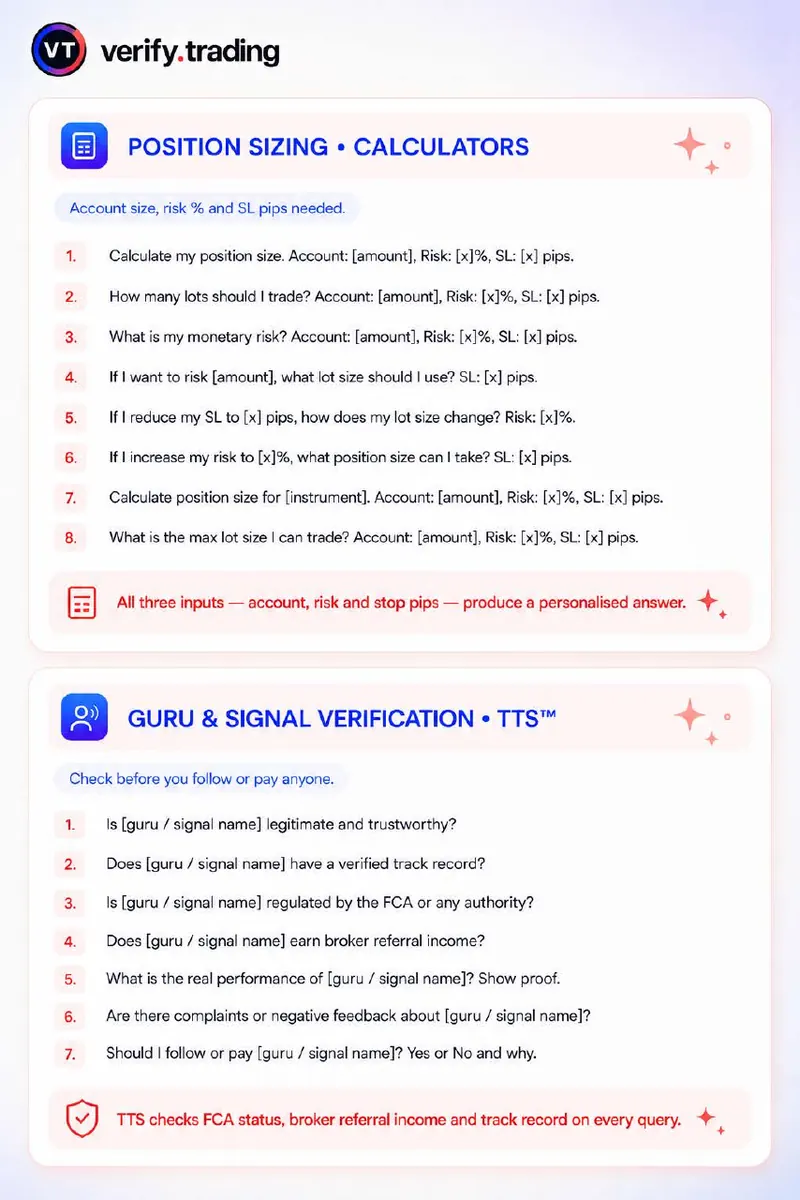
Position sizing prompts
CalculatorsGive account size, risk percentage and stop loss in pips for a personalised answer.
- Calculate my position size. Account: [amount], Risk: [x]%, SL: [x] pips.
- How many lots should I trade? Account: [amount], Risk: [x]%, SL: [x] pips.
- What is my monetary risk? Account: [amount], Risk: [x]%, SL: [x] pips.
- If I want to risk [amount], what lot size should I use? SL: [x] pips.
- If I reduce my SL to [x] pips, how does my lot size change? Risk: [x]%.
- Calculate position size for [instrument]. Account: [amount], Risk: [x]%, SL: [x] pips.
All three inputs (account, risk and stop pips) produce a personalised answer.
Guru and signal group verification prompts
TTSCheck before you follow or pay anyone selling signals, courses or mentoring.
- Is [guru / signal name] legitimate and trustworthy?
- Does [guru / signal name] have a verified track record?
- Is [guru / signal name] regulated by the FCA or any authority?
- Does [guru / signal name] earn broker referral income?
- What is the real performance of [guru / signal name]? Show proof.
- Are there complaints or negative feedback about [guru / signal name]?
- Should I follow or pay [guru / signal name]? Yes or No and why.
TTS checks regulatory status, broker referral income and track record on every query.
Trading psychology prompts
MindUse these before a session or after a loss to keep emotion out of your sizing.
- How am I feeling right now and how should that impact my trading today?
- Should I trade, reduce size, or stand aside? Give me a clear answer and why.
- What biases are most likely to affect me today?
- Am I trying to prove something or follow my plan?
- How can I protect my capital and mindset if I face a losing streak?
Write to verify.trading the way you would message a trader you trust completely.
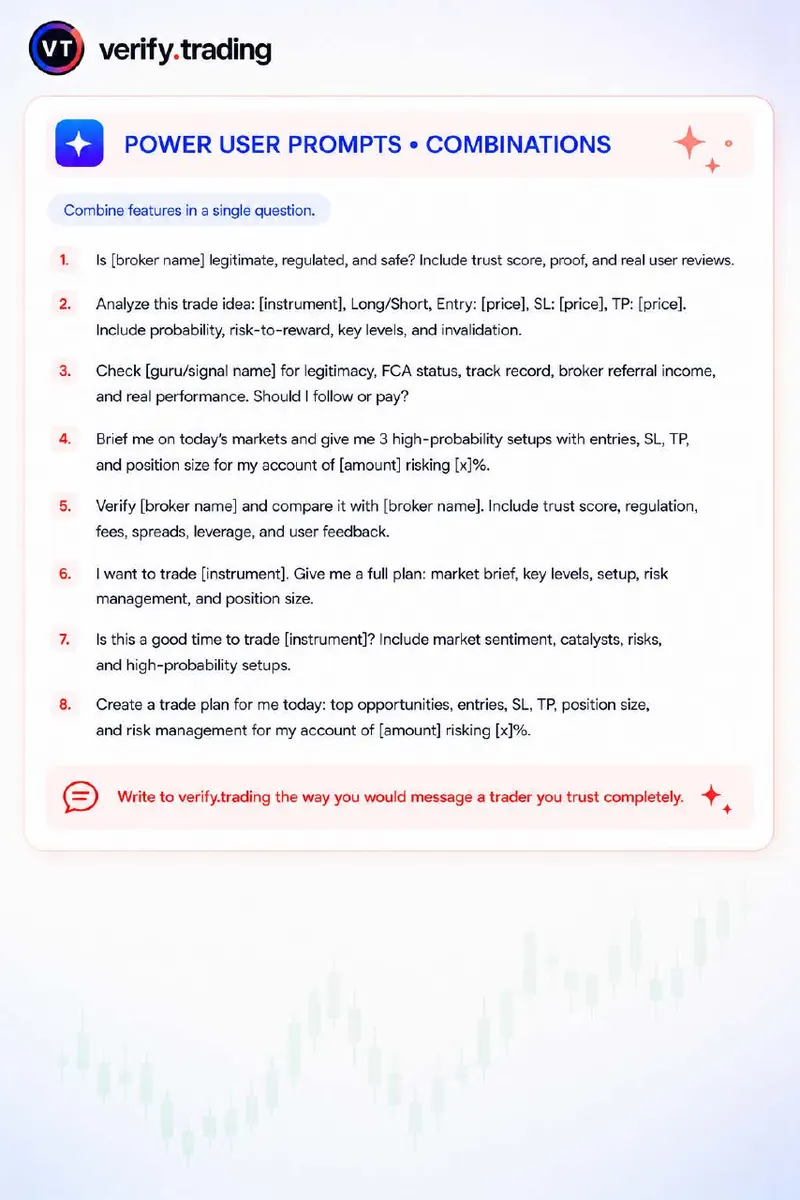
Power user prompts: combine checks in one question
- Is [broker name] legitimate, regulated, and safe? Include trust score, proof, and real user reviews.
- Analyze this trade idea: [instrument], Long/Short, Entry: [price], SL: [price], TP: [price]. Include probability, risk-to-reward, key levels, and invalidation.
- Check [guru/signal name] for legitimacy, FCA status, track record, broker referral income, and real performance. Should I follow or pay?
- Verify [broker name] and compare it with [broker name]. Include trust score, regulation, fees, spreads, leverage, and user feedback.
- Is this a good time to trade [instrument]? Include market sentiment, catalysts and risks.
Pro features
What Pro adds
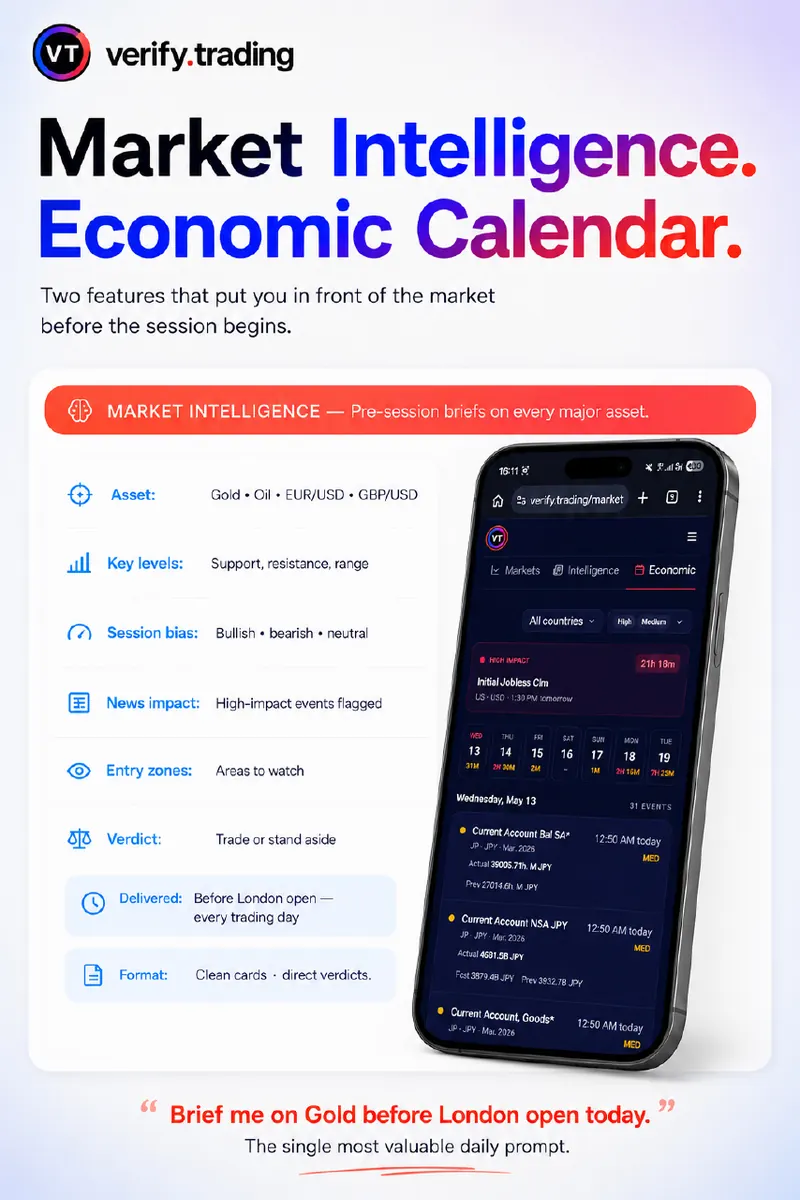
Market Intelligence and the economic calendar
Two features that put you in front of the market before the session begins. The Intelligence brief covers gold, oil and the major FX pairs with key levels, a session bias, flagged high-impact news and a one-line verdict to trade or stand aside. The economic calendar shows the high-impact events ahead so you are not caught by a spike.
A simple rule from the guide: avoid opening new positions in the minutes before a red-impact event. Wait for the spike, then trade the real move.
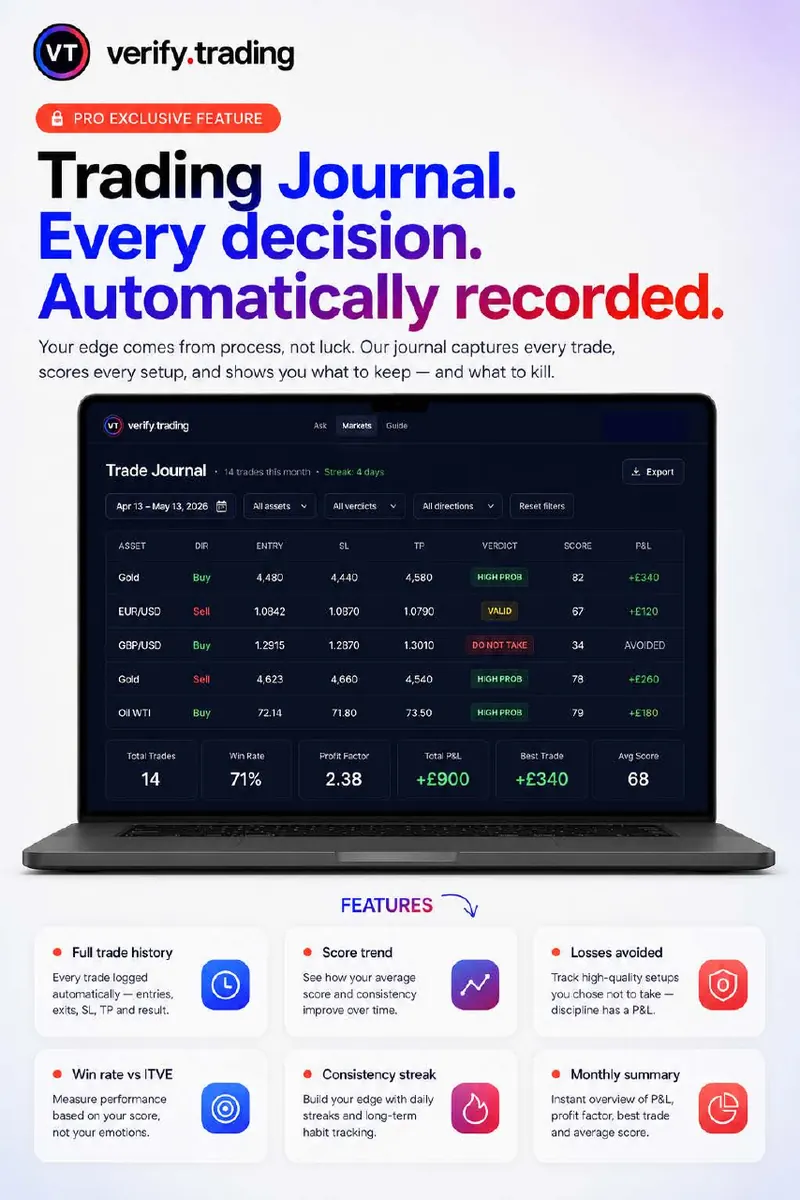
Trading journal
Your edge comes from process, not luck. The trading journalrecords each trade with its verdict and score, tracks your win rate against ITVE scores, and shows the high-quality setups you chose not to take, because discipline has a P&L too. Challenge Mode keeps prop firm traders inside their account rules.
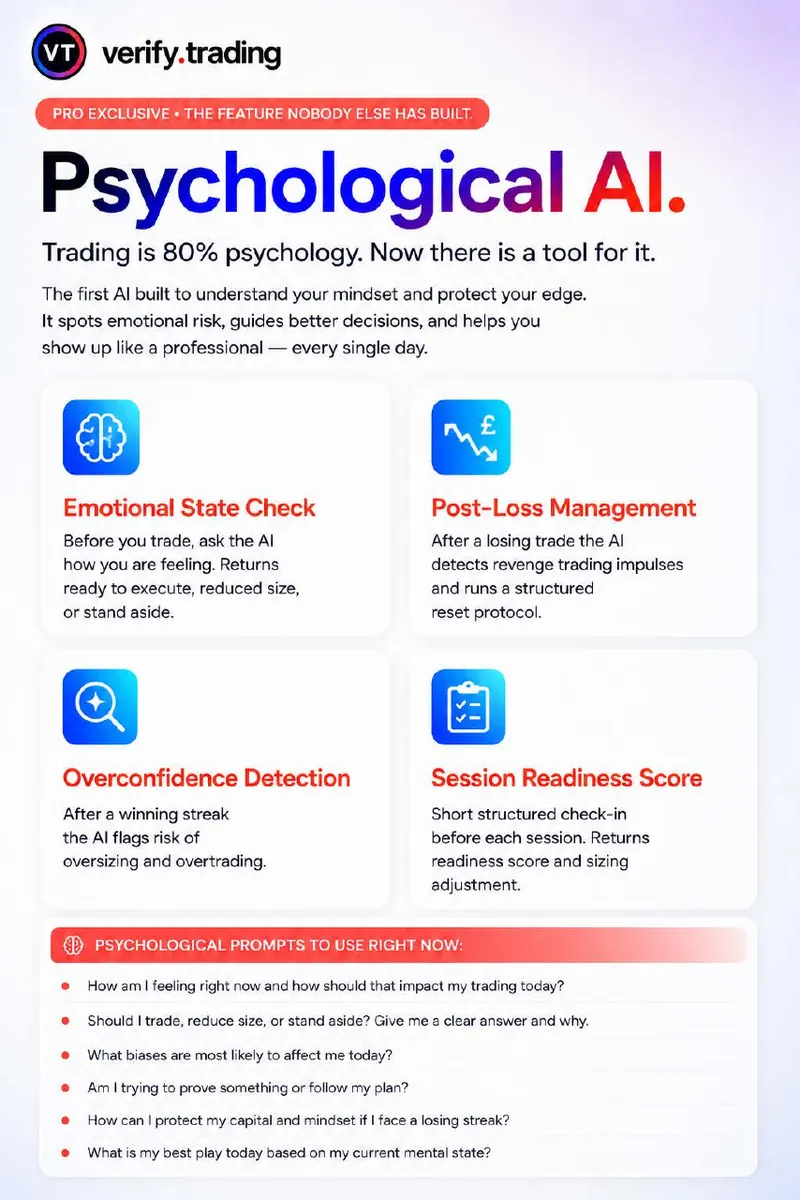
Mind: trading psychology
Mind helps you spot emotional risk before it reaches your account: an emotional state check before you trade, a structured reset after a loss to stop revenge trading, a flag for oversizing after a winning streak, and a short session-readiness check-in.
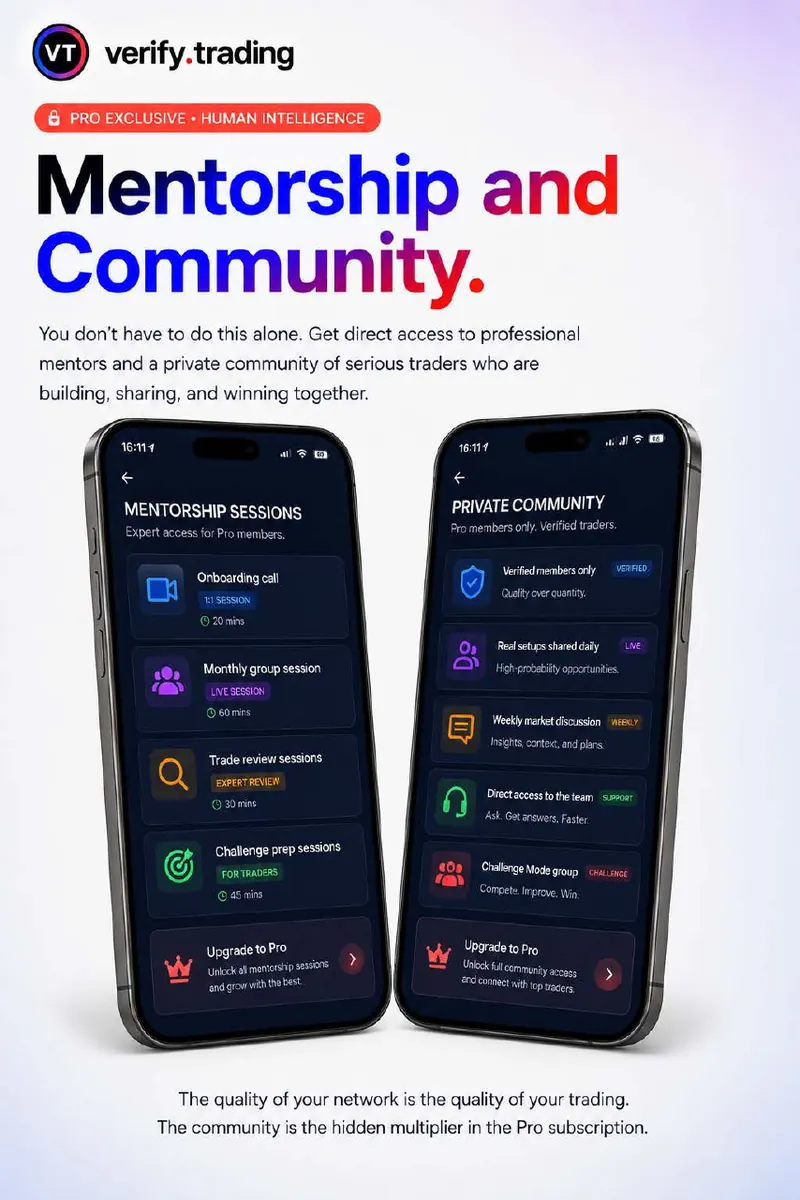
Mentorship and community
You do not have to do this alone. Pro includes access to mentorship sessions and a private community of verified traders sharing setups and weekly market discussion. See plans and pricing for the full list.
Download the complete guide as a PDF, with every slide.
Do the prompts need special syntax?
Will verify.trading give me trades to take?
Can I download this guide?
Which prompt should I start with?
Serious traders don't guess. They verify.
Start free with 5 Ask chats a day and run your first broker check in under a minute.